
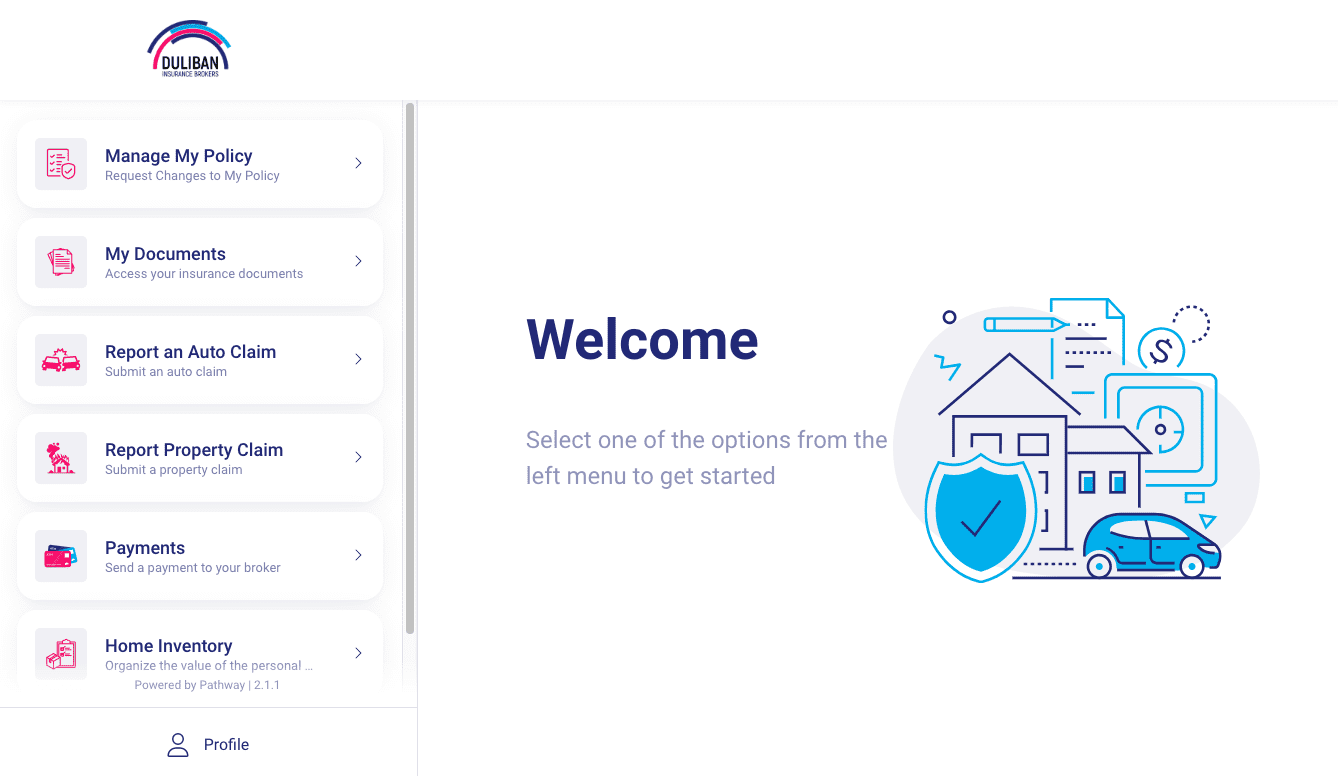
Managing your insurance shouldn’t feel complicated. Whether you need to access documents, make a change, or review your coverage, convenience matters.
That’s why Duliban Insurance Brokers offers a secure self-serve client portal that gives you 24/7 access to your insurance information anytime, anywhere.
What Is the Duliban Self-Serve Client Portal?
The Duliban Client Portal is your personal digital hub for managing all of your insurance policies and documents online. Instead of waiting on hold or scheduling a call for simple on-demand actions, through the client portal, you can:
- Stay organized with all of your insurance documents in one place and access them 24/7
- View your coverage and deductibles
- Request changes or updates to your policy
- Download your proof of insurance (electronic pink slip)
- Make a payment
- Manage your home inventory
- Access road services
24/7 Access to Your Insurance – On Your Schedule
We understand just as much as anyone that life doesn’t always happen during business hours. With Duliban’s self-serve portal, you can:
- Check your policy details at any time
- Review your policy before renewal
- Access documents when you need them
- Stay organized with all documents in one place
Make Changes Without the Back-and-Forth
Do you have a quick change you need to make but don’t have time to call in? No problem! Our self-serve client portal helps you start these changes quickly and efficiently. By doing so, clients receive:
- Faster service
- Less waiting
- Transparency throughout your complete insurance process
Report a Claim – Anywhere, Anytime
With Duliban Insurance’s self-service client portal, you can start your claims process right away. When using the portal, you can:
- Find the information you need to submit a claim
- Submit a claim request or choose to call our office directly
- Upload supporting documents, including information on the additional driver, if applicable, such as driver’s license and license plate
Make a Quick and Secure Online Payment
There may come a time when you need to make a payment for your insurance premiums. To do so, you can simply follow the step-by-step guide to ensure your payment is processed and received safely and securely. You will either be:
- Sent to your carrier’s payment processing page to process the payment
- Provided with an email and a secret password to send an e-transfer
Create an Inventory of the Items In Your Home
Compile a list of items, prices, and even include photos to ensure you are fully protected. In the event of a claim, you can share your personalized home inventory list with your adjuster.
Contact Us Today for a Free Insurance Quote
Get a fast, competitive insurance quote and see how much you could save.
 Call us: 1-855-385-4226
 Get a quote online in minutes
 Speak with a local Ontario insurance expert